 MacLibero RT
Guide · 31 October 2026
How to see hidden attributes in FM27 on Mac
Two players with the same visible attributes can have very different seasons. The difference often sits in attributes Football Manager 27 does not show you.
What FM27 does not show you
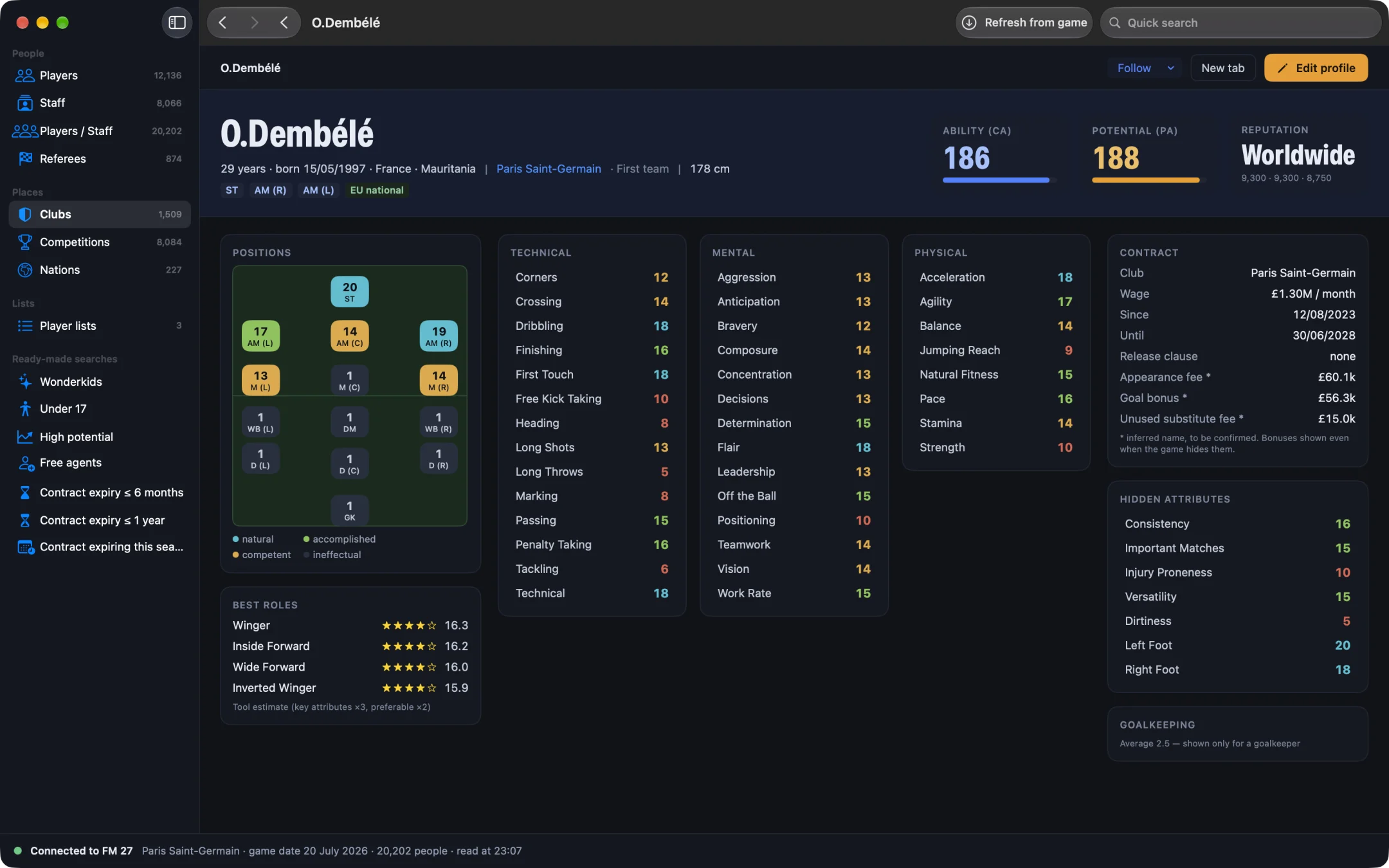
On a player's profile, FM27 shows technical, mental and physical attributes. Other values matter for how he performs but stay hidden. MacLibero RT shows five of them, plus both feet:
- Consistency: does he play at his level week after week, or up and down?
- Important Matches: does he raise his game in big matches?
- Injury Proneness: the higher it is, the more likely he is to get injured.
- Versatility: how easily he adapts to positions that are not his own.
- Dirtiness: how likely he is to commit fouls.
- Left foot and right foot, rated out of 20 instead of in words.
See them in MacLibero RT, for free
- Open MacLibero RT and click “Launch FM 27”.
- Load your save, then click “Refresh from game” (⌘R).
- Open a player's profile: hidden attributes are in the right-hand column, below the contract.
All of this is part of the free scouting: you do not need a licence to read hidden attributes.
How to use them when you recruit
- Before a big transfer, check Injury Proneness: a player who is often out costs you a lot.
- For a starter, look for good Consistency; for an impact sub, Important Matches matters more.
- If your squad is thin, Versatility helps you find a player who can cover several positions.
These are the values in your own save, read from the game. They can change over the seasons.