Guide · 1 November 2026
FM27: compare two players side by side
To compare two players in FM27, open the first one's profile in MacLibero RT, go to the “Tools” menu › “Compare…”, then pick the second. Age, CA, PA, wage, contract expiry and every attribute, hidden ones included, line up face to face, with the better of the two highlighted row by row. It is free and nothing is written to your save.
In Football Manager 27, choosing between two strikers or two signings means flicking between two profiles, without seeing potential or hidden attributes. MacLibero RT, the native Mac app that reads and edits your single-player FM 27 save, puts both players on one screen.
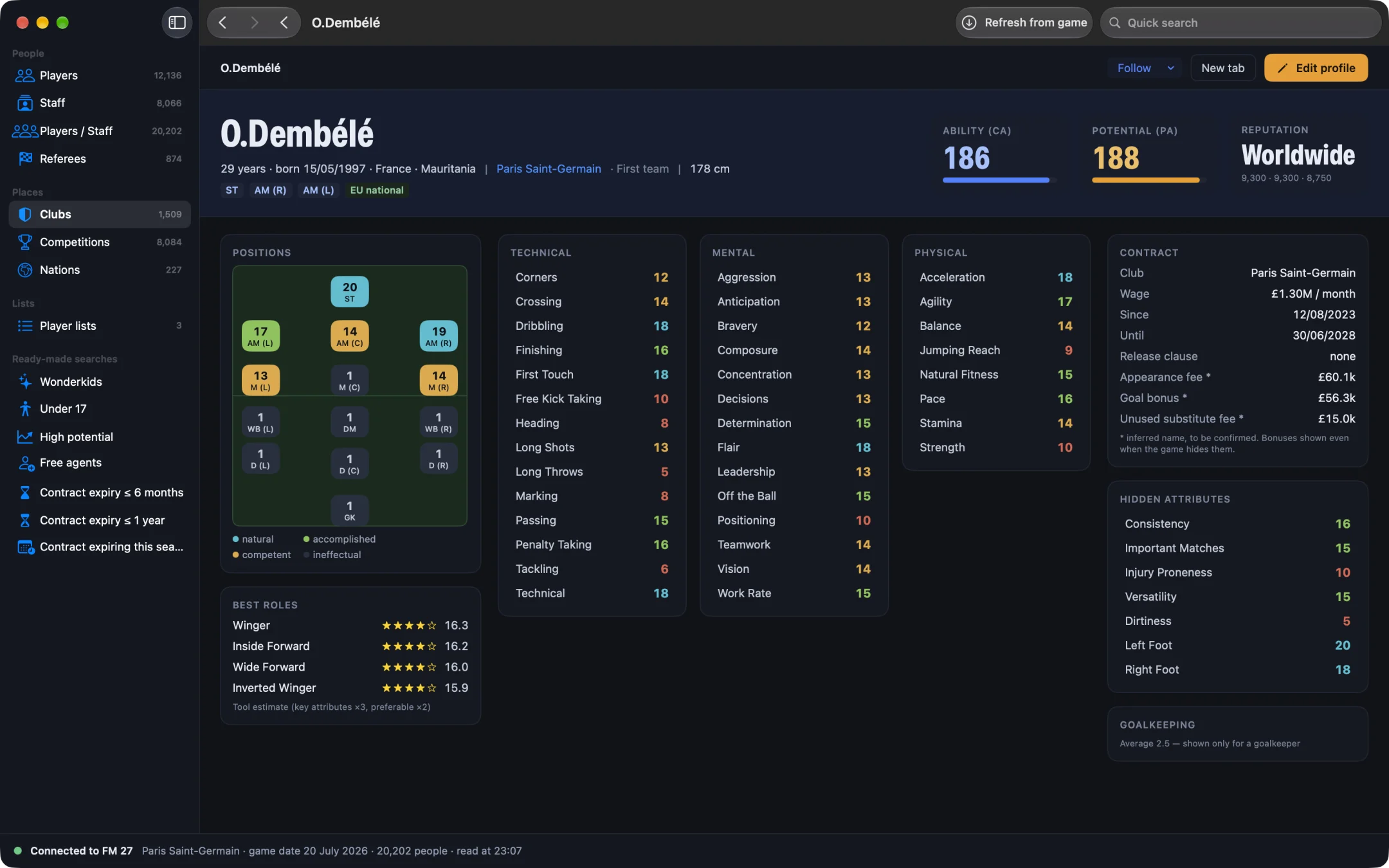
How do you compare two players in FM27?
- Open MacLibero RT, click “Launch FM 27”, load your save, then click “Refresh from game” (⌘R).
- Open the first player's profile (from search or from a club's squad).
- In the top bar, open the “Tools” menu and choose “Compare…”. The menu is there whenever you are not editing the profile.
- The “Compare” window opens. In the “Name of the player to compare with…” field, type at least two letters of the second player's name.
- Click the right player in the list: the comparison appears.
To switch players, click “Choose another player”; “Close” (or Esc) shuts the window.
How do you pick the second player?
The search matches the full name and “first name last name”. It lists up to 12 players, sorted from highest CA down, each with his club and “CA → PA”. That makes it easy to tell two namesakes apart or spot the more promising one at a glance. The player you started from is left out of the list.
What exactly is compared?
Each column is headed by the player's name and club. Then comes an identity table:
- “Age”;
- “Ability (CA)” and “Potential (PA)”, out of 200: the higher one is in bold;
- “Wage” (monthly) and “Contract expiry”.
After that, one card per attribute group: Technical, Mental, Physical and Hidden. If either player is a goalkeeper, the Goalkeeping card comes first, followed by Mental, Physical, Technical and Hidden. Attributes are shown out of 20, just like in the game.
How is the better player highlighted?
For each attribute, the higher value is shown in bold on a badge in the rating's colour; on a tie, neither is highlighted. At the bottom of each card, an “Average” row gives the group average out of 20 (one decimal), in bold for the player who wins it. You see at once who is the better technician and who is mentally stronger.
Watch two hidden attributes: for “Dirtiness” and “Injury Proneness”, lower is better. The comparison highlights the higher figure, so read those two rows the other way round.
Are hidden attributes compared too?
Yes, and that is where the comparison earns its keep. The “Hidden” card lines up Dirtiness, Consistency, Important Matches, Injury Proneness and Versatility, which FM 27 never shows. Two players with the same CA can have very different consistency. To learn more about these values, read our guide on how to see hidden attributes in FM27 on Mac.
When is comparing players useful?
- Scouting: put your target next to your current starter, wage and contract expiry included.
- Youngsters: split two wonderkids with similar PA. Start by finding FM27 wonderkids, then compare the top two.
- Renewals: check whether your ageing player still stands up next to his replacement.
To judge output on the pitch as well, the profile's Statistics tab has FM27 advanced player stats (xG, percentiles, A–F rating).
Can you trust the numbers?
They come straight from your save, read live. In our Dembélé ↔ Mbappé test, every value in the comparison matched both player profiles. After a match or a day in the game, “Refresh from game” (⌘R) brings the values up to date.
What you need
The comparison is read-only: it writes nothing to the game and is part of MacLibero RT's free scouting, no licence needed. The licence (€6.99 once for FM27, on up to 3 Macs) is only for editing your save: see pricing and the FM27 Mac editor comparison. Single-player saves only.
Questions
How do you compare two players in FM27?
With MacLibero RT on a Mac: open the first player's profile, go to the “Tools” menu › “Compare…”, type the second player's name and click him. Both players appear side by side.
Does the comparison show hidden attributes?
Yes: a “Hidden” card compares Dirtiness, Consistency, Important Matches, Injury Proneness and Versatility, on top of the technical, mental, physical and goalkeeping attributes.
Do I need a licence to compare players?
No. Comparing is part of MacLibero RT's free scouting: it only reads your save and never writes anything to the game.
Can I compare a goalkeeper with an outfield player?
Yes. As soon as one of the two is a goalkeeper, the “Goalkeeping” card comes first, followed by Mental, Physical, Technical and Hidden.
Are the values the same as in the game?
Yes: attributes are shown out of 20, as in FM 27. In our Dembélé ↔ Mbappé test, every value matched the two player profiles.