Guide · 1 November 2026
FM27: see masked attributes without scouting, on your Mac
To see masked attributes in FM27 without scouting, open “My manager” in MacLibero RT and turn on “Masked attributes visible”, then save and reload your game. Football Manager 27 then shows exact values, such as 12, instead of ranges like “10-14” for players your scouts don't fully know, in the career you're already playing.
Attribute masking is part of Football Manager 27's realism: until your scouts have watched a player, his attributes appear as ranges, and you're left guessing. You can only choose it when you start a new career. MacLibero RT, the native Mac app that reads and edits your single-player FM 27 save, lets you switch it off mid-save, without starting over.
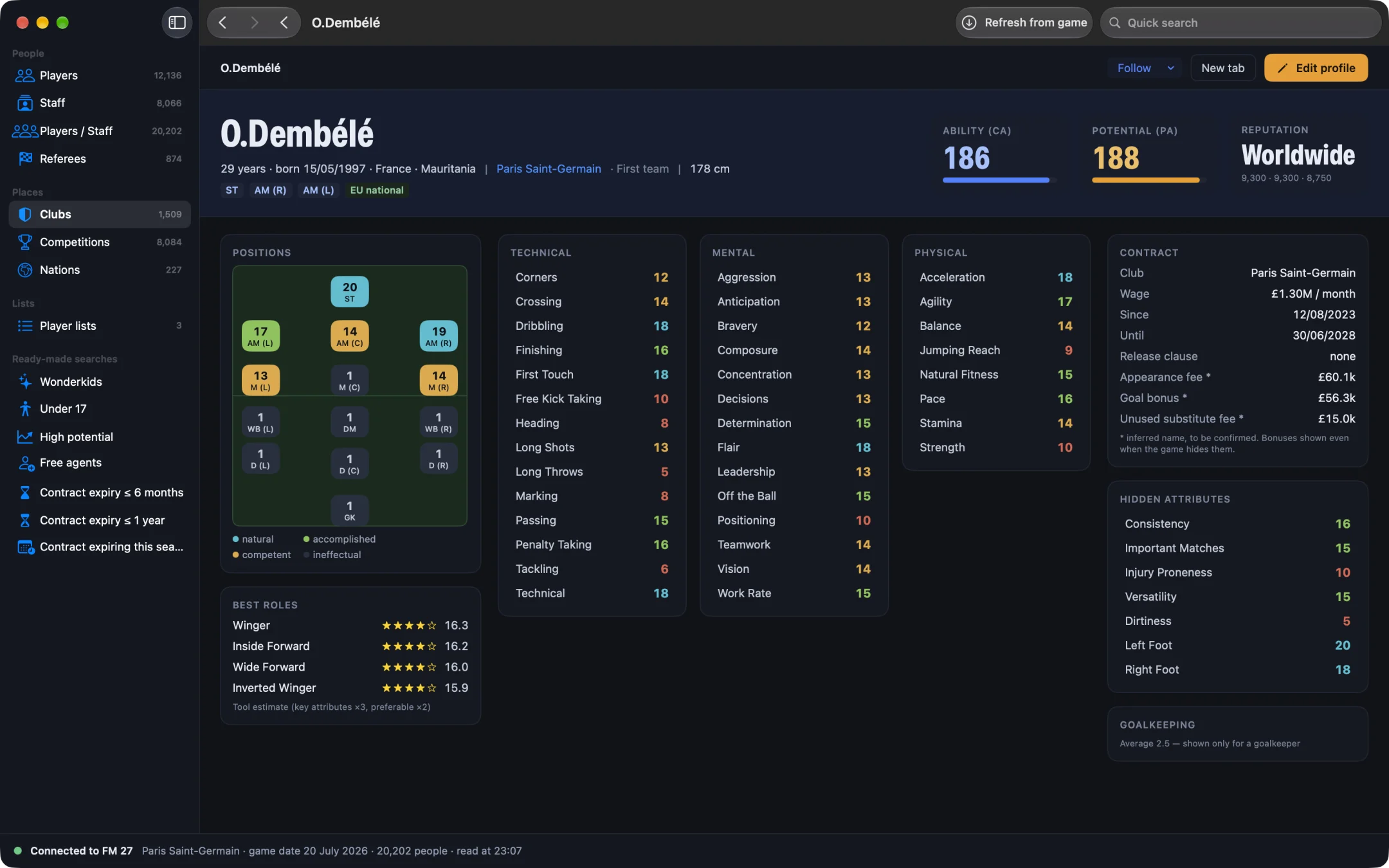
How do you see masked attributes in FM27?
- Open MacLibero RT, click “Launch FM 27”, load your save, then click “Refresh from game” (⌘R).
- In the sidebar, under “Tools”, click “My manager”.
- In the “Career options” card, turn on “Masked attributes visible”. Its description reads: “All attributes are shown in FM 27, without the scouting fog.”
- In FM 27, save your game, then reload it.
- Open a player your scouts don't know: his attributes now show exact values.
The switch is written to the game straight away, and the app confirms it in its status line. FM 27 applies it when it loads the save, which is why the save and reload step matters.
What changes on screen?
Without the option, a player your scouts haven't fully assessed shows his attributes as ranges. In our test on a copy of a PSG save, Lorient's Mvogo showed values such as “10-14”. We turned on “Masked attributes visible”, saved and reloaded: FM 27 showed his exact values. The same goes for any player in the game, in your own league or abroad, with no scout assignment and no knowledge build-up.
It is the same option FM 27 sets on your manager when you create a career with attribute masking turned off. MacLibero RT simply sets it in the save you are already playing.
Masked attributes or hidden attributes: what's the difference?
They are two different things, and people often mix them up:
- Masked attributes are the usual attributes (Finishing, Passing, Pace…) that FM shows as ranges until you scout a player. This option removes the ranges in FM 27 itself.
- Hidden attributes (Consistency, Important Matches, Injury Proneness, Versatility, Dirtiness) are never displayed by the game, scouted or not. MacLibero RT shows them for free in its own player profile: see how to see hidden attributes in FM27 on Mac.
Note that MacLibero RT's free scouting already shows every player's exact attributes inside the app. “Masked attributes visible” is for when you want them in FM 27's own screens, for example to compare players in the game's scouting and shortlists.
Is it good for recruitment?
It changes how you play: with exact values everywhere, you no longer need to send scouts before you bid, so the transfer market gets easier. If you want to find the best young players quickly, pair it with our list of FM27 wonderkids. If you'd rather keep some fog, leave the option off and use MacLibero RT's scouting only when you need it.
How do you turn masking back on?
Turn “Masked attributes visible” off in “My manager”, or open History and undo the change, then save and reload in FM 27. Players you haven't scouted show ranges again. In our test we removed the option and saved, and the save was back to normal. See how to undo editor changes in FM27.
Single-player saves only. Keep a copy of any save you care about before editing it.
What you need
Writing the option to your save needs a licence: €6.99 once for FM27, on up to 3 Macs (see pricing and the FM27 Mac editor comparison). The “My manager” options are only available for the supported FM 27 build; we tested this one on an Apple Silicon Mac.
Questions
How do I see masked attributes in FM27 without scouting?
In MacLibero RT, open “My manager” in the sidebar, turn on “Masked attributes visible”, then save and reload your game in FM 27. Players your scouts don't fully know show exact values instead of ranges.
Can I turn off attribute masking in an existing FM27 save?
Yes, that's what this option does. Football Manager 27 normally only lets you choose attribute masking when you start a new career; MacLibero RT sets the same option on your manager in the save you're playing.
Is this the same as hidden attributes?
No. Masked attributes are the normal attributes FM shows as ranges such as “10-14”. Hidden attributes (consistency, important matches, injury proneness…) are never shown by the game; MacLibero RT shows those for free in its own player profile.
Can I switch masked attributes back on?
Yes. Turn the option off, or undo it from History, then save and reload: ranges come back for players you haven't scouted.
Does it need a licence?
Yes, changing the option writes to your save: €6.99 once for FM27, on up to 3 Macs. Single-player saves only.