Guide · 31 October 2026
FM27 mass edit: change your whole squad at once
To mass edit a squad in FM27, open your club's profile in MacLibero RT, pick the team tab and click “Edit squad…”. You set one or more rules (say, every physical attribute +2), check the before / after preview player by player, then click “Apply to game”. The whole thing is one batch you can undo in a click.
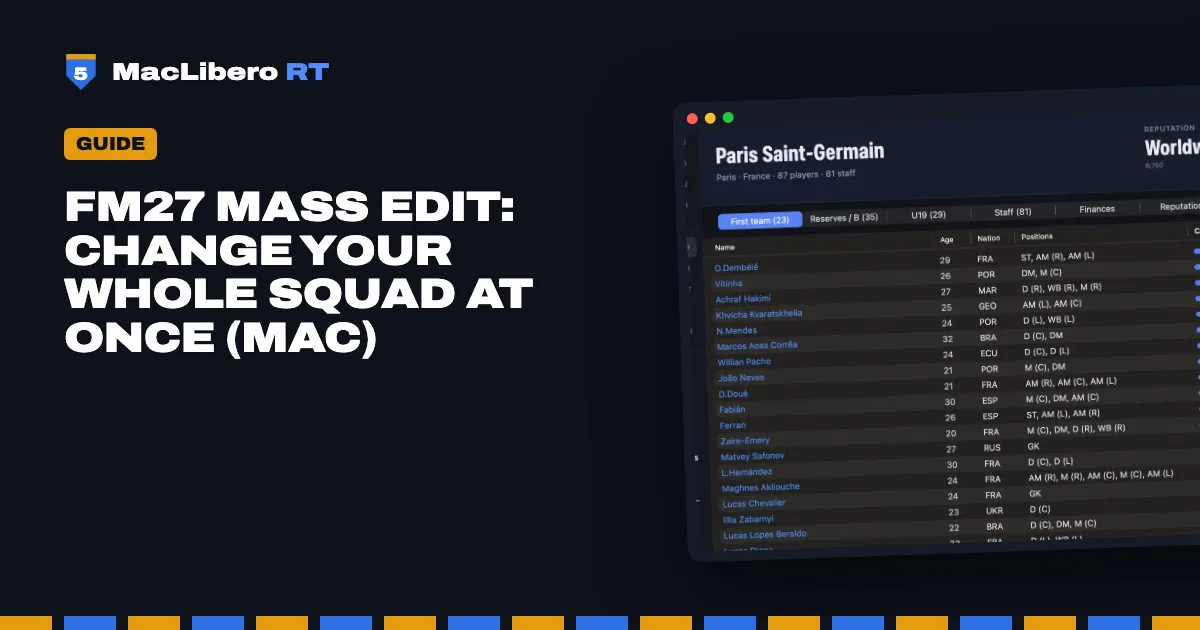
Editing 25 players one at a time in Football Manager 27 eats an evening. MacLibero RT, the native Mac app that reads and edits your single-player FM 27 save, does it in one go, and shows you the outcome before anything is written.
How do you mass edit a squad in FM27?
- Open MacLibero RT, click “Launch FM 27”, load your save, then click “Refresh from game” (⌘R).
- Open your club's profile and select the team tab you want (first team, reserves…).
- Click “Edit squad…”. The mass edit sheet opens with the number of players in scope.
- Under “Players affected”, choose “All players in this tab”, “Outfield players only”, “Goalkeepers only” or “23 and under”.
- Set your rules (see below), then read the preview on the right.
- Click “Apply to game” and confirm.
Nothing touches your save before “Apply to game”. Close the sheet at any point and the game is left exactly as it was.
What can you change in bulk?
Each rule is a field, an operation and a value. Rules run in order, and “Add a rule” stacks another one.
- Attribute groups: every technical, mental, physical or goalkeeping attribute at once, or a single attribute, hidden ones included.
- Level: current ability (CA) and potential ability (PA), out of 200.
- Fitness: condition and match sharpness (in %), morale (out of 20).
- Contract: monthly wage and contract expiry (more in our guide to changing a player's contract in FM27).
Operations are “Set to”, “Add”, “Multiply by”, “Cap at” and “At least”. Attributes use the 1–20 scale you see on the profile. For contracts, “Add 1” to the expiry extends every deal by a year.
Does CA rise with the attributes?
Yes, by default. Three safeguards sit under the rules:
- “Raise CA too” (ticked): CA follows the average rise of the attributes that make up the player's level. It is an estimate, and without it the game gradually drags the attributes back down.
- “Keep CA below PA”: if CA ends up above PA, PA goes up to match.
- “Never lower a value”: handy with “Set to”, so an attribute that is already higher stays as it is.
Players whose potential is rolled at random by the game (negative PA) keep it: a PA rule leaves them alone.
Before / after preview: check before you write
The right-hand side lists every player with CA and PA before → after, the number of values that change and the average attribute shift. Click a row to see every attribute in detail. A checkbox per player lets you leave someone out without touching the rules, and the footer shows the total number of values to be written.
What happens with more than 200 players?
A first confirmation tells you how many values and players will be changed. Above 200 players you get a second one, which is your cue to copy your save first.
While writing, each value is checked just before it is written: if the game changed it in the meantime (a match played, development), it is skipped and reported, never overwritten. In our test on PSG's first team, “physical +2” wrote 214 values in 28 seconds with no failures.
Templates: replay the same rules
The “Templates” menu has five built-in templates:
- “Physical conditioning (+2)”
- “High-potential youngsters (PA at least 160)”
- “Winning mentality (+2)”
- “Extend every contract by one year”
- “Squad in top condition”
“Save as template…” stores your own rules, the players in scope and the safeguards, so you can rerun them on any squad. They show up under “My templates”, and “Delete a template” removes them.
How do you undo an FM27 mass edit?
When it is done, a summary shows the values written and any failures. “Undo this batch” puts everything back. Later on, the batch is still in History: see how to undo editor changes in FM27.
FM 27 may keep showing the old values: save and reload your save to see the new ones. Single-player saves only, and keep a copy of any save you care about.
What you need
MacLibero RT's scouting is free. Writing to the game needs a licence: €6.99 once for FM27, on up to 3 Macs (see pricing and the FM27 Mac editor comparison). For a single player, the FM27 create a wonderkid shortcut is quicker.
Questions
Can you mass edit a whole squad in FM27?
Yes, with MacLibero RT on a Mac: from the club profile, “Edit squad…” applies your rules to every player in the team tab on screen, after a before / after preview.
Does CA go up when you raise attributes?
Yes when “Raise CA too” is ticked, which it is by default: CA follows the average rise of the attributes that make up a player's level. Without it, the game slowly pulls the attributes back down.
How do I undo a mass edit?
Right after writing, click “Undo this batch”. Later, open History and click “Undo batch”: every value goes back, unless the game changed it in the meantime.
Is mass editing free?
Writing to the game needs a MacLibero RT licence: €6.99 once for FM27, on up to 3 Macs. Scouting stays free.
Why does FM 27 still show the old values?
The game can keep the old display. Save and reload your save to see the new values.