Guide · 1 November 2026
FM27 individual training focus and role, set from your Mac
To set an FM27 individual training focus, open the player's profile in MacLibero RT and use the “Individual Training” card: pick a “Focus” (say, Ball Retention) and an “Out of Possession Role” (say, Winger), then click “Apply to game”. Football Manager 27 writes it itself, checks it like its own training screen, and the change can be undone.
Individual training is where you shape a player's development in Football Manager 27, but it sits deep in the Training screens, one player at a time. MacLibero RT, the native Mac app that reads and edits your single-player FM 27 save, puts the same two settings right on the player profile, next to the attributes you want to improve.
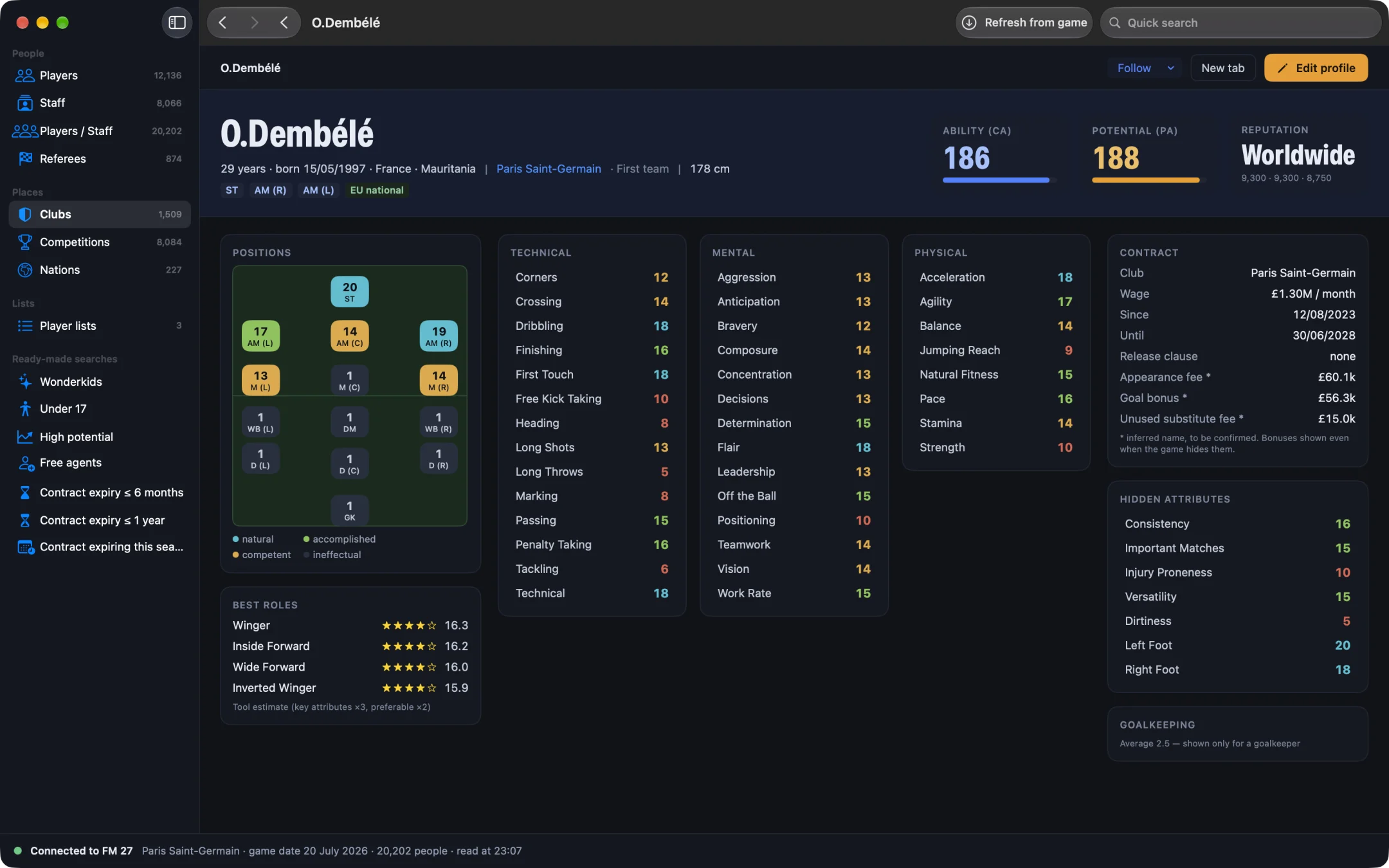
How do you set individual training in FM27?
- Open MacLibero RT, click “Launch FM 27”, load your save, then click “Refresh from game” (⌘R).
- Open the profile of one of your club's players.
- In the “Individual Training” card, choose a “Focus”.
- Choose an “Out of Possession Role”, grouped under “Defenders”, “Midfielders” and “Attackers”.
- Click “Apply to game” (or “Cancel” to drop your choice).
- In FM 27, reopen the player's training screen: the new focus and role are shown, no reload needed.
The card only appears for players of the club you manage, just like in the game. Each menu starts with “None”, which clears the setting.
Which training focuses can you pick?
The “Focus” menu offers the same focuses as FM 27's Training › Individual screen:
- Outfield players (16): Chance Conversion, Chance Creation, Ball Retention, Ball Progression, Pressing, Containment, Defensive Positioning, Attacking Movement, Final third, Shooting, Passing, Crossing, Ball Control, Tackling, Marking and Aerial.
- Goalkeepers (4): GK Shot Stopping, GK Handling, GK Sweeping and GK Distribution.
- Everyone (8): Quickness, Agility and Balance, Resistance, Stamina, Free Kick Taking, Corner Taking, Penalty Taking and Long Throws.
A goalkeeper only sees goalkeeper and shared focuses, an outfield player only outfield and shared ones. The set piece focuses (Free Kick Taking, Corner Taking, Penalty Taking, Long Throws) are a natural fit for a player you have just made first choice on dead balls: see how to set the best set piece takers in FM27. Only one focus is active per player at a time, as in the game, so applying a new one replaces the previous one.
Which out-of-possession roles are there?
39 roles, in the game's order: 12 for defenders (centre-backs, full-backs, wing-backs and their pressing or holding versions), 9 for midfielders (defensive and central midfielders), 15 for attackers (attacking and wide midfielders, wingers, centre forwards), plus 3 for goalkeepers under “Goalkeepers”. Pick the role you want him to learn without the ball, for example “Winger” for a wide forward.
Why does FM 27 refuse some choices?
MacLibero RT doesn't poke the value into memory: it calls the game's own individual training functions, after the same check the game runs for its screen. As the card says, FM refuses what doesn't suit the player. A goalkeeper focus on an outfield player, or a goalkeeper role on an outfield player, is turned down and nothing is written. We checked these refusals, both by the game and by the app, on a test save.
Does individual training stay in FM27?
Yes. In our test on a copy of a PSG save, Dembélé was set to Ball Retention and Winger from the app. FM 27 showed Ball Retention / Winger in his training screen, and the setting was still there after 7 in-game days and a match against Monaco.
How do you undo it?
The change is logged in History. Click “Undo batch”: in our test, the player went back to None / None. The game restarts the date it shows for that training, as when you change it by hand. See how to undo editor changes in FM27.
Single-player saves only. Keep a copy of any save you care about before editing it.
What you need
Writing needs a licence: €6.99 once for FM27, on up to 3 Macs (see pricing and the FM27 Mac editor comparison). Because it calls the game's functions, individual training works on Apple Silicon Macs with the current FM 27 build. To build a young talent from scratch, see FM27 create a wonderkid.
Questions
How do I set individual training in FM27 with MacLibero RT?
Open one of your players' profiles, pick a “Focus” and an “Out of Possession Role” in the “Individual Training” card, then click “Apply to game”.
Does the training focus stay after days of play?
Yes. In our test, Ball Retention and Winger set on Dembélé were still there after 7 in-game days and a match.
Why was my individual training refused?
MacLibero RT goes through the game's own functions, so FM 27 checks the choice like its Training › Individual screen does and refuses what doesn't suit the player, such as a goalkeeper focus on an outfield player.
Can I undo an individual training change?
Yes. Open History and click “Undo batch”: in our test, focus and role went back to None / None.
Which Macs and players does it work with?
Your own club's players, in a single-player save, on an Apple Silicon Mac with the current FM 27 build. Writing needs a licence: €6.99 once for FM27.