Guide · 1 November 2026
FM27 player traits editor: add or remove PPMs from your Mac
To add or remove FM27 player traits (PPMs), open the player's profile in MacLibero RT and use the “Player Traits” card: pick a trait in “Add a trait”, or click the cross to remove one, then click “Apply to game”. The trait shows up in the player's Traits in Football Manager 27 at once, and traits the game considers incompatible are refused, just as in the game.
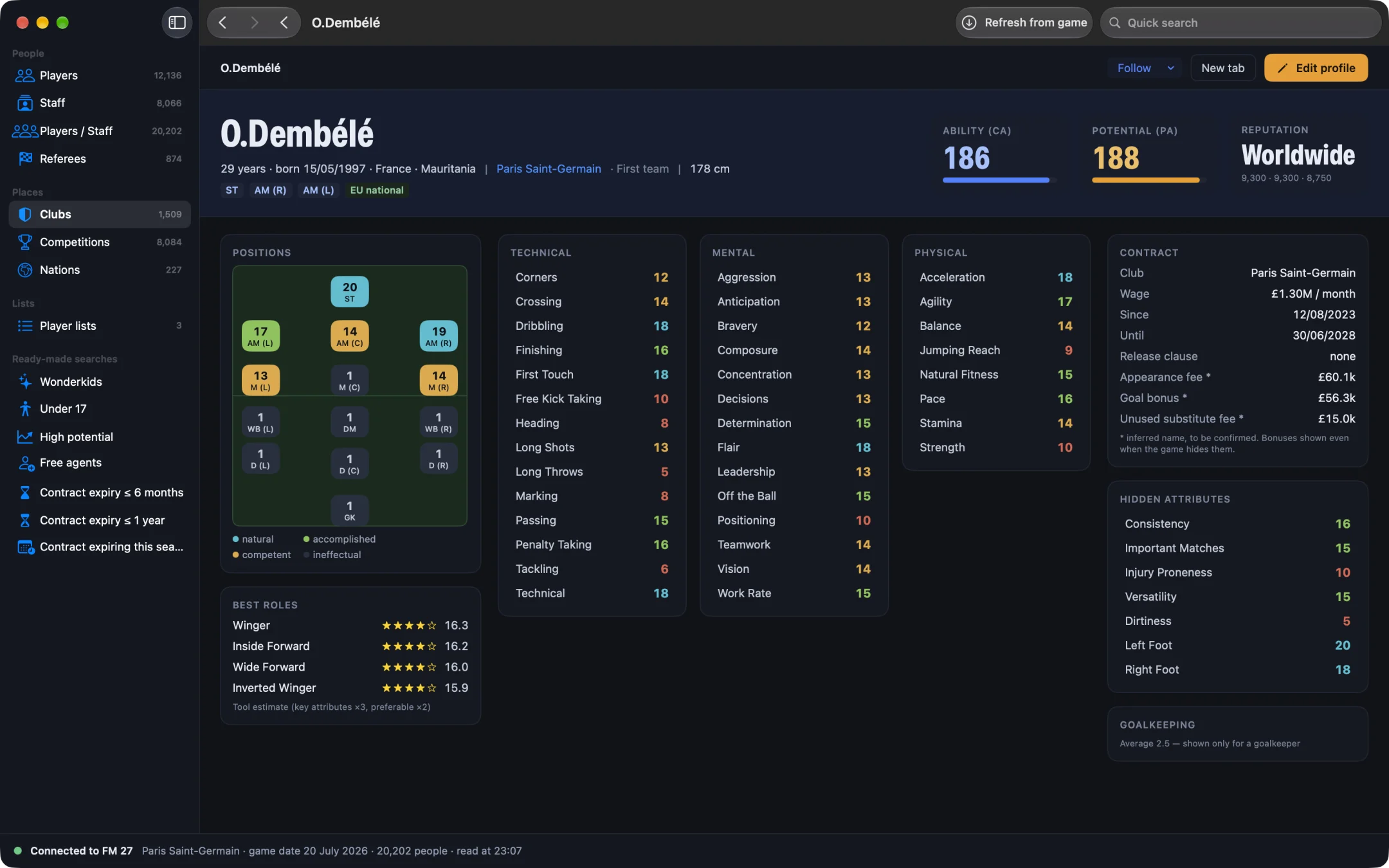
Player traits, often called PPMs (preferred moves), shape how a player behaves on the pitch: dictating the tempo, cutting inside, shooting from distance. In Football Manager 27 a player normally learns them slowly, through training or from a mentor. MacLibero RT, the native Mac app that reads and edits your single-player FM 27 save, lets you add or remove traits in a few clicks, with the same rules the game applies when a player learns one.
How do you add player traits in FM27?
- Open MacLibero RT, click “Launch FM 27”, load your save, then click “Refresh from game” (⌘R).
- Open the player's profile and scroll to the “Player Traits” card. It lists the traits he has now.
- Open the “Add a trait” menu and choose a trait, for example “Dictates Tempo”. It appears in the list, highlighted until it is written.
- Add more traits if you like, or remove one (next section) in the same go.
- Click “Apply to game”, or “Cancel” to drop your changes.
- In FM 27, open the player's Traits: the new trait is there, no save or reload needed.
The menu lists the 62 traits FM 27 knows, in alphabetical order, with the names you see in the game. It works on any player in the database, including player-coaches; staff have no traits.
How do you remove a PPM from a player?
Click the cross next to the trait (“Remove this trait”). It stays on screen, crossed out, so you can see what will go. Click “Apply to game” to write the change. No weeks of training are needed: it is the quickest way to get rid of a habit that hurts your tactic, such as a midfielder who keeps trying long shots.
Which player traits are incompatible?
Football Manager 27 has its own table of 41 pairs of traits a player can never hold together, and it checks that table every time a player learns a trait through training or from a mentor. MacLibero RT uses the same table. In the “Add a trait” menu, a trait that clashes with one the player already has is greyed out, and the card says so: “Incompatible traits are greyed out, as in the game.” A few examples:
- “Shoots With Power” and “Places Shots”
- “Dives Into Tackles” and “Does Not Dive Into Tackles”
- “Runs With Ball Often” and “Runs With Ball Rarely”
- “Shoots From Distance” and “Refrains From Taking Long Shots”
The app also checks again just before writing, so a forbidden pair never reaches your save. If a player already holds a clashing pair from the original database, it is left alone: MacLibero RT only blocks new conflicts. To swap one trait for its opposite, remove the first, add the second, then apply both at once.
Does the new trait really work in FM 27?
Yes. MacLibero RT makes the same change the game makes when a player finishes learning a trait, nothing more. In our test on a copy of a PSG save, we added “Dictates Tempo” to Dembélé: it showed in his Traits in FM 27 straight away. We then tried to add “Shoots With Power” to a player who already had “Places Shots”: it was refused, as in the game. The player's traits were then put back exactly as they were.
Traits matter most alongside the right training. To work on a player's game in parallel, see how to set FM27 individual training from your Mac. Traits also say a lot about a player's character on the pitch; his personality and happiness are covered in FM27 player happiness and personality.
Can you undo a trait change?
Yes. Each “Apply to game” is logged in History with the traits added (+) and removed (−). Click “Undo batch” and the player's traits go back exactly as they were before. Read more about undoing editor changes in FM27.
Single-player saves only. Keep a copy of any save you care about before editing it.
What you need
Viewing traits is free. Writing them needs a licence: €6.99 once for FM27, on up to 3 Macs (see pricing and the FM27 Mac editor comparison). Trait editing works with the current FM 27 build; we tested it on an Apple Silicon Mac.
Questions
How do I add player traits in FM27 with MacLibero RT?
Open the player's profile, go to the “Player Traits” card, choose a trait in “Add a trait”, then click “Apply to game”. FM 27 shows it in the player's Traits straight away.
Can I remove a player trait (PPM) in FM27?
Yes. Click the cross next to the trait (“Remove this trait”), then “Apply to game”. The trait is crossed out until you apply.
Why can't I add some traits?
Football Manager 27 never lets a player learn two incompatible traits, such as “Shoots With Power” and “Places Shots”. MacLibero RT uses the game's own list of 41 incompatible pairs: those traits are greyed out, and the app refuses them too.
Can I undo a player trait change?
Yes. Every change is logged in History; “Undo batch” puts the player's traits back exactly as they were.
Is the FM27 trait editor free?
Viewing traits is free. Writing them to the game needs a licence: €6.99 once for FM27, on up to 3 Macs. Single-player saves only.