Guide · 1 November 2026
FM27 clone player: copy attributes onto other players
To clone player attributes in FM27, open the source player's profile in MacLibero RT, click “Tools” then “Clone…”. You tick what to copy (attributes, positions, personality, traits, CA/PA), add one or more target players, and click “Apply to game”. Every target player becomes a batch you can undo from History.
Sometimes you want a second version of a player: the same physique on a youngster, the same mentality on a new signing, or two twins in your academy. Doing that by hand in Football Manager 27 means retyping dozens of values. MacLibero RT, the native Mac app that reads and edits your single-player FM 27 save, copies them for you.
How do you clone a player in FM27?
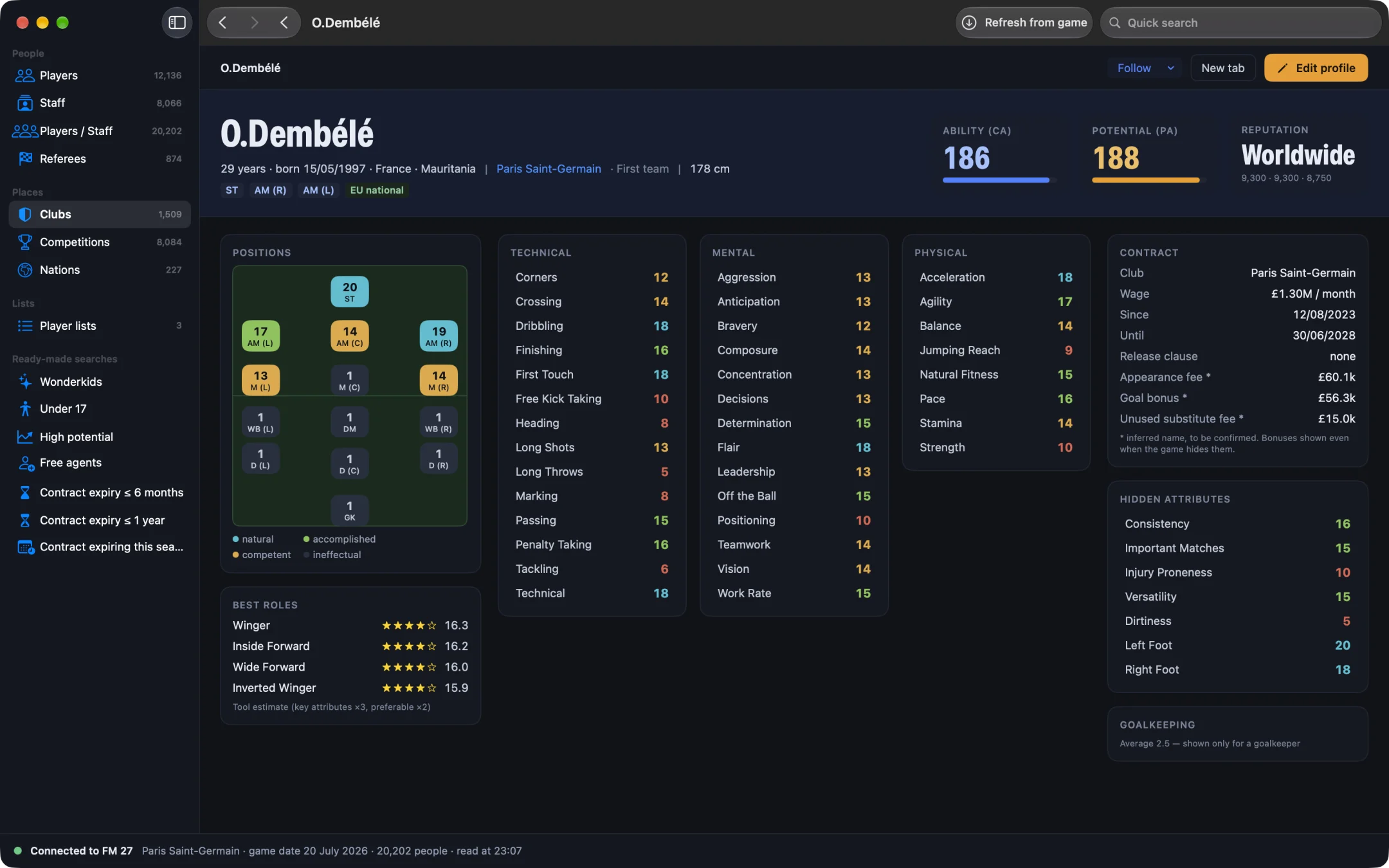
- Open MacLibero RT, click “Launch FM 27”, load your save, then click “Refresh from game” (⌘R).
- Find the source player (the one you want to copy) in the player search and open his profile.
- In the bar at the top of the profile, open the “Tools” menu (wrench icon) and choose “Clone…”.
- In the sheet that opens, tick the groups of values to copy (list below).
- Add the target players: type at least two letters of a name, then click one of the suggestions (up to six, best CA first). Repeat for each target.
- Check the count next to each target: the number of values that will change, or a note saying the player is already identical.
- Click “Apply to game”. The button shows the total number of values to write.
Nothing is written before that click. Close the sheet and the game is left exactly as it was.
What does “Clone…” copy?
The left-hand column of the sheet lists nine groups. Technical, mental and physical attributes are ticked by default; tick the others as you need.
- Technical, mental and physical attributes, on the 1–20 scale of the profile.
- Goalkeeping attributes, useful only between two keepers.
- Hidden attributes, the ones the game never shows you (see how to see hidden attributes in FM27).
- Positions: the rating of each position on the pitch, so the target plays where the source plays.
- Personality: the eight values Adaptability, Ambition, Loyalty, Pressure, Professionalism, Sportsmanship, Temperament and Controversy.
- Player Traits: the target ends up with exactly the source's traits (more in our FM27 player traits guide).
- CA and PA: current and potential ability, out of 200.
Only the values that differ are written. If a target already has the same finishing as the source, that value is skipped, which is why the count can be lower than you expect.
Can you clone onto several players at once?
Yes. Add as many targets as you like to the right-hand column; the cross next to a name removes it. The same source values go to every target, and each one gets his own batch in History, so you can undo one player without touching the others.
For CA and PA, MacLibero RT writes them in the order the game accepts: the game refuses a CA above PA, so when the new CA is higher than the target's current PA, PA is written first.
What happens if the game changed a value?
Each write carries the value MacLibero RT read from the game. If FM 27 changed it in the meantime (a match was played, the player developed), the write is refused rather than overwriting it, and the app asks you to click “Refresh from game” (⌘R) and try again. Cloning works on the values of your last refresh, so refresh just before you open the sheet.
Our test: one clone, then undo
On a copy of a save, we cloned Daniel Ławrynowicz onto Dominik Gumny. The app wrote 36 values with no refusal. We then clicked “Undo batch” in History: every attribute went back to its original value, exactly.
How do you undo a clone?
Open History, find the batch named after the target player and click “Undo batch”. The details are in our guide to undoing editor changes in FM27.
FM 27 may keep showing the old values: save and reload your save to see the new ones. Single-player saves only, and keep a copy of any save you care about.
Clone or mass edit?
Cloning copies one real player's values onto others. If you would rather apply a rule (every physical attribute +2, PA at least 160) to a whole team, FM27 mass edit is the better tool.
What you need
MacLibero RT runs on Macs with Apple Silicon or Intel, macOS 15 or later, with the Steam or Epic Games version of FM 27. Scouting is free. Cloning writes to the game, so it needs a licence: €6.99 once for FM27, on up to 3 Macs (see pricing and the FM27 Mac editor comparison).
Questions
Can you clone a player's attributes in FM27?
Yes, with MacLibero RT on a Mac: open the source player's profile, click “Tools”, then “Clone…”. Tick what to copy, add the target players and click “Apply to game”.
What can be cloned?
Technical, mental, physical and goalkeeping attributes, hidden attributes, positions, the eight personality values, player traits, and CA and PA. Technical, mental and physical attributes are ticked by default.
Can I undo a clone?
Yes. Each target player gets his own batch in History: click “Undo batch” and every value goes back, unless the game changed it in the meantime.
Is cloning free?
Cloning writes to the game, so it needs a MacLibero RT licence: €6.99 once for FM27, on up to 3 Macs. Scouting stays free.
Does it work online?
No. MacLibero RT only works with single-player saves of Football Manager 27 on Mac.